
What Is Ransomware and Who Does It Target?
If you own a small or mid-sized business in the U.S., there’s a good chance ransomware is already on your radar — or it should be. In 2024 alone, ransomware attacks cost American businesses over $20 billion in damages, downtime, and recovery costs. And the scary part? Small businesses are no longer off the radar for cybercriminals. In fact, they’re being targeted more than ever.
This guide is written specifically for small and mid-sized business owners in the United States who want to understand what ransomware is, how it works, and — most importantly — whether their business could be next. No tech jargon. No fluff. Just clear, honest answers.
So, What Exactly Is Ransomware?
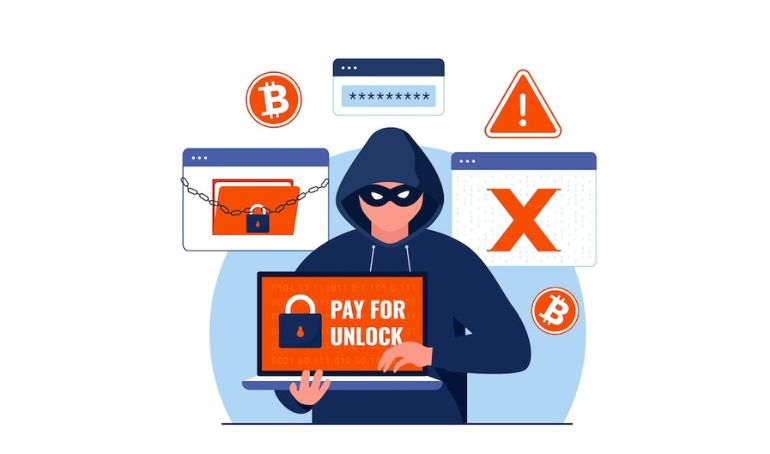
Ransomware is a type of malicious software (malware) that hackers use to lock you out of your own files — and then demand a ransom payment to give access back. Think of it like a digital hostage situation. Your files are still sitting on your computer or server, but they’ve been encrypted, meaning they’re completely unreadable until you get a decryption key.
Once ransomware gets into your system, here’s what typically happens:
- It silently installs itself, often through a phishing email or a clicked link
- It crawls through your network, encrypting files as it goes
- A ransom note appears on your screen demanding payment — usually in cryptocurrency
- You’re given a deadline — pay up or lose your data permanently
The average ransom demand for small businesses in the U.S. sits around $170,000 — but the actual cost including downtime, lost revenue, and recovery can be three to five times higher. Paying the ransom doesn’t even guarantee you’ll get your files back. According to a 2023 Sophos report, only 65% of encrypted data was restored even after paying.
How Does Ransomware Get Into Your Business?
This is the question most business owners ask after hearing about a nearby company that got hit. The honest answer: it gets in through the front door — your employees, your email, and your everyday tools.
Phishing Emails
Over 90% of ransomware attacks start with a phishing email. A staff member gets what looks like a legitimate invoice, shipping update, or HR message. They click the link or open the attachment — and just like that, the attack begins. Modern phishing emails are incredibly convincing and often impersonate trusted brands like FedEx, QuickBooks, or even your own bank.
Unsecured Remote Desktop Protocol (RDP)
Many businesses, especially after the remote work boom, have exposed RDP ports — essentially open windows that hackers can crawl through if credentials are weak or unprotected. This became one of the top ransomware entry points during and after the pandemic.
Outdated Software and Unpatched Systems
Running old versions of Windows, outdated plugins, or unpatched operating systems is like leaving your back door unlocked. Cybercriminals actively scan the internet for businesses running known vulnerabilities — and it’s an automated process that never stops.
Third-Party and Vendor Access
If you work with vendors, contractors, or IT service providers who have access to your systems, you’re also inheriting their security risks. A breach at a vendor’s end can quickly become your problem — this is exactly what happened in the infamous Kaseya ransomware attack of 2021, which impacted over 1,500 businesses worldwide.
Types of Ransomware You Should Know About
Not all ransomware works the same way. As a business owner, it helps to know the different forms, because each one poses a different level of threat.
- Crypto Ransomware: The most common type. It encrypts your files so you can’t open them without a decryption key.
- Locker Ransomware: Locks you out of your entire device — you can’t even log in or use basic functions.
- Double Extortion Ransomware: A newer, nastier variant. Hackers encrypt your data AND threaten to publish sensitive information publicly unless you pay.
- Ransomware-as-a-Service (RaaS): Yes, this exists. Criminal groups now sell ransomware tools to other hackers like a SaaS subscription. This is why attack volumes have surged — you no longer need to be a skilled hacker to launch one.
Who Does Ransomware Actually Target?
Here’s a myth worth busting: many small business owners assume hackers only go after large corporations. That thinking is dangerous — and wrong.
According to Verizon’s 2024 Data Breach Investigations Report, 46% of all cyberattacks targeted small businesses. The reason is simple — small businesses often have valuable data but weaker security, making them easier targets with a higher likelihood of paying the ransom.
Here are the industries most commonly hit in the U.S.:
- Healthcare & Medical Practices: Patient records, billing data, and HIPAA compliance make healthcare an extremely high-value target. A single attack can shut down an entire clinic.
- Legal & Accounting Firms: Confidential client data, contracts, and financial records are gold for cybercriminals. Ransomware here often comes with a double-extortion threat.
- Retail & E-Commerce: Customer payment data, order systems, and inventory management are frequently targeted — especially during peak seasons like Black Friday.
- Construction & Real Estate: Project files, contracts, and client data sit on often-unprotected local servers — an easy grab for ransomware groups.
- Education & Schools: School districts and private institutions handle student data and federal funding, making them frequent targets with limited IT resources.
- Manufacturing & Supply Chain: Operational disruption is extremely costly here, meaning businesses are more likely to pay quickly to restore production.
Why Do Hackers Choose Small and Mid-Sized Businesses?
Cybercriminals aren’t random. They’re strategic. Here’s why small and mid-sized U.S. businesses are squarely in their crosshairs:
- No dedicated IT or security team: Most SMBs don’t have a full-time cybersecurity professional. That gap is an open invitation.
- Valuable but unprotected data: Customer records, financial data, and intellectual property sit on systems that haven’t been properly secured.
- Higher chance of paying: A small business can’t afford weeks of downtime the way a Fortune 500 might. The pressure to pay and restore quickly is immense.
- Gateway to larger targets: Sometimes, small businesses are used as stepping stones to attack larger clients or partners they’re connected to.
Real-World Ransomware Attacks That Hit Close to Home
Still think ransomware only targets big corporations? These three real cases tell a different story. A small retail company, a major healthcare network, and an entire city government — all brought to their knees by a single cyberattack. The common thread? None of them thought it would happen to them.
| Incident | The Heritage Company, Arkansas — 2019 |
| What Happened | Ransomware hit this small telemarketing company just weeks before Christmas. Attackers locked all business systems at the worst possible time of year, leaving the company unable to operate. |
| Business Impact | 300 employees were laid off just before the holidays. The company nearly shut down permanently — a devastating blow to a small business that had no recovery plan in place. |
| Source | Arkansas Democrat-Gazette — arkansasonline.com |
| Incident | Change Healthcare — 2024 |
| What Happened | The BlackCat ransomware group attacked Change Healthcare, taking down pharmacy and insurance processing systems used by hospitals and clinics across the entire United States. |
| Business Impact | $872 million in direct losses. Over 100 million patient records exposed. Pharmacies nationwide were unable to process prescriptions for days, directly putting patient health at risk. |
| Source | American Hospital Association — aha.org |
| Incident | City of Atlanta, Georgia — 2018 |
| What Happened | The SamSam ransomware group demanded $51,000 from the City of Atlanta to restore encrypted systems. The city refused to pay — and paid a far greater price for it. |
| Business Impact | Recovery cost the city over $17 million — more than 300 times the original ransom. City services were offline for weeks. Years of court documents and police records were permanently lost. |
| Source | Atlanta Journal-Constitution — ajc.com |
How to Protect Your Business from Ransomware
The good news? Ransomware is largely preventable with the right defenses in place. Here are the most important steps every small and mid-sized business should take:
- Regular, offsite backups: Back up your data daily, and store copies offsite or in an immutable cloud environment. If ransomware hits, you can restore without paying.
- Employee security training: Your staff is your first line of defense. Train them to spot phishing emails, suspicious links, and social engineering tactics.
- Endpoint detection and response (EDR): Modern EDR tools catch ransomware behavior before it can spread — far more effective than traditional antivirus software.
- Patch and update regularly: Keep all software, operating systems, and firmware updated. Most ransomware exploits known vulnerabilities that already have patches available.
- Multi-factor authentication (MFA): Enable MFA on all business accounts — email, cloud storage, remote access. This one step blocks the majority of credential-based attacks.
- Work with a managed security services provider: For most SMBs, the most cost-effective solution is partnering with an expert team that monitors your systems 24/7. Learn more about our Data Security Services and how we protect small businesses across the U.S.
Expert Insight from agency1987: Our team has worked with hundreds of small businesses across the United States to recover from ransomware attacks and build defenses that prevent future incidents. One consistent finding: businesses that had even basic security hygiene in place — regular backups, employee training, and endpoint protection — were able to recover far faster and with significantly lower costs. Prevention is always cheaper than recovery.
Frequently Asked Questions About Ransomware
Can I recover ransomware-encrypted files without paying?
In some cases, yes. If you have clean backups, you can restore your systems without paying the ransom. Free decryption tools are also available for some older or less sophisticated ransomware strains through the No More Ransom Project — a collaboration between Europol, Interpol, and leading cybersecurity firms.
Should I pay the ransom?
The FBI advises against paying. Payment doesn’t guarantee recovery, funds criminal operations, and can mark your business as a repeat-pay target. Consult a cybersecurity expert before making any decision.
How long does ransomware recovery take?
Recovery timelines vary widely. With good backups and a response plan, some businesses restore operations within 24–72 hours. Without either, recovery can take weeks and may be incomplete.
Does business insurance cover ransomware attacks?
Some cyber liability insurance policies do cover ransomware, but coverage terms vary significantly. Check your policy carefully and speak with your insurer about what’s included.
The Bottom Line
Ransomware isn’t just an enterprise problem anymore. It’s a small business reality. If you’re running a business in the U.S. — especially in healthcare, legal, retail, or any sector that handles sensitive data — you’re a target. The question isn’t whether an attack could happen to you. It’s whether you’re ready for it.
The businesses that come out the other side of a ransomware attack — or avoid one entirely — aren’t necessarily the biggest or wealthiest. They’re the ones that took security seriously before the attack happened.